
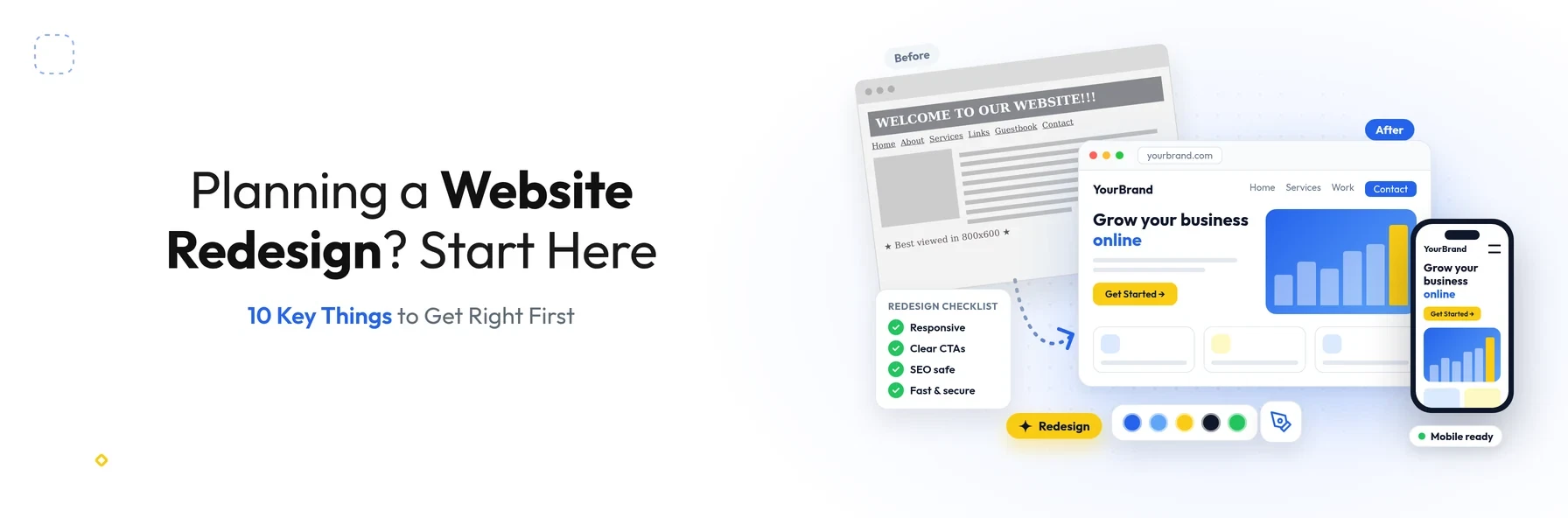
In short: Before redesigning your website, define clear business goals and analyse what works on your current site. Plan around your audience with mobile-first design, simple navigation, clear calls to action and useful features. Above all, protect your SEO with 301 redirects and a careful launch plan, so the new site keeps the search rankings and traffic you have already earned.
Your website plays a crucial role in your business. It is often the first place customers go to learn about you, compare you with competitors and decide whether to get in touch. With so many businesses competing for attention online, an outdated or underperforming website can quietly cost you customers every day.
There are many reasons to redesign a website: a rebrand, poor results, outdated design, a slow or insecure platform, or new business goals. Whatever the reason, a redesign is an investment that needs careful planning.
This guide covers the signs that it is time for a redesign and the 10 most important things to consider before you start. It also explains how to protect your search rankings when you launch.
Signs It Is Time to Redesign Your Website
- The design looks dated compared with your competitors.
- The site does not work well on mobile phones or tablets.
- Pages load slowly.
- Visitors leave quickly without contacting you or buying.
- Your content is hard to update without a developer.
- Your brand, services or target audience have changed.
- The site is built on an outdated or insecure platform.
10 Important Things to Consider Before Redesigning Your Website
1. What are your objectives?
Start by defining exactly what the new website must achieve. Is it a content site that needs to attract visitors and turn them into subscribers? An e-commerce site that needs to showcase products and increase sales? Or a service business that needs more qualified enquiries?
Set measurable goals, such as more enquiries, higher online sales, more newsletter sign-ups or fewer support calls. Every design and content decision should support these objectives.
2. Analyse your current website
Before setting targets, understand what is working on your current site and what is not. Use Google Analytics and Google Search Console to identify:
- your most visited pages
- the pages that bring in the most search traffic
- where visitors leave
- which pages generate enquiries or sales
Ask current customers and your sales and support teams for feedback, too.
Why it matters: you keep what already works, such as high-ranking pages and popular content, and fix what does not.
3. Understand your audience
Define who your website is for, what they need and what questions they want answered. User personas and customer journeys help you design pages around real visitor needs, rather than internal assumptions.
4. How responsive is your website?
People now browse on a wide range of phones, tablets, laptops and desktops. For many businesses, a large share of visitors arrive on mobile. A responsive website adapts its layout to every screen size, so it looks and works well on any device.
Design mobile-first. Check that text is readable, buttons are easy to tap, forms are simple to complete and pages load quickly on mobile connections.
5. Is your navigation working?
Navigation and scrolling should feel effortless. Visitors should be able to find what they need in a few clicks, before making any purchase or decision.
Signs of navigation problems include:
- visitors leaving key pages quickly
- low visits to important service or product pages
- customers asking for information that is already on the site
Keep menus clear and logical, use familiar labels, and test navigation with real users.
6. Does your website offer personalised content?
Personalisation is not easy, which is exactly why it can set you apart from competitors. Showing relevant content to each visitor is what makes your business stand out.
Personalisation can be simple, such as tailoring content by location, industry or customer type, or recommending related products and articles. If you plan to personalise, build the data and content structure for it into the redesign from the start. Make sure you handle personal data in line with UK GDPR.
7. Do you have clear calls to action?
Calls to action (CTAs) are the backbone of website conversion. The right CTA at the right time can make a significant difference to results. Based on your objectives, decide what you want visitors to do on each page, such as book a consultation, request a quote, buy a product or sign up. Then place clear, visible CTAs accordingly.
Users should always know what to do next if they are interested in your business.
8. List all the features you need
Once your goals, structure and user journeys are clear, list the features your website needs. Depending on your business, these might include:
- live chat
- contact and booking forms
- payment integration
- search
- social media feeds
- customer portals
- event calendars
- newsletter sign-up
- analytics and tracking
- integration with your CRM or other business systems
Prioritise features that support your objectives, and plan the rest for later phases. If you need user accounts, bookings or complex functionality, read our guide to website vs web application.
9. Plan for speed, accessibility and security
A redesign is the ideal time to fix performance and technical issues. Make sure the new website:
- loads quickly and meets Google's Core Web Vitals targets
- is accessible to people with disabilities, with good colour contrast, image descriptions and keyboard navigation
- is secure, with HTTPS, up-to-date software, backups and protected admin access
- is easy to update through a user-friendly content management system
Our guide on how to speed up a WordPress website covers the key performance steps.
10. Protect your SEO during the redesign
This is one of the most important and most often overlooked steps. A redesign can cause a serious drop in search rankings and traffic if URLs change without redirects, if valuable content is removed, or if technical SEO is missed.
To protect your SEO:
- 01Benchmark first. Record your current rankings, traffic and top pages before you start.
- 02Keep URLs where possible. If a URL must change, set up a permanent 301 redirect from the old URL to the most relevant new page.
- 03Keep high-performing content. Improve it, but do not delete or heavily cut pages that bring in traffic.
- 04Check on-page SEO. Carry over titles, meta descriptions, headings and structured data.
- 05Test before launch. Crawl the staging site for broken links, missing redirects and accidental "noindex" settings.
- 06Monitor after launch. Submit your new XML sitemap in Google Search Console, then watch for crawl errors and traffic changes.
Some short-term fluctuation in rankings is normal after a redesign while search engines recrawl the site. Large or lasting drops, however, usually point to technical problems that should be investigated and fixed quickly.
Website Redesign Checklist
| Stage | Key actions |
|---|---|
| Plan | Define objectives, analyse the current site, understand the audience |
| Design | Mobile-first layouts, clear navigation, strong CTAs, accessible design |
| Content | Keep and improve top pages, update messaging, plan personalisation |
| Build | Required features, integrations, speed, security, easy-to-use CMS |
| SEO | Benchmark, URL mapping, 301 redirects, on-page SEO, staging checks |
| Launch | Final testing, sitemap submission, analytics and conversion tracking |
| Improve | Monitor results, fix issues and keep optimising |
Conclusion
A successful website redesign starts long before any design work begins. Clear objectives, a thorough review of your current site and a focus on your audience come first. Responsive design, simple navigation, personalised content, strong calls to action and the right features make the new site effective. Planning for speed, security and SEO protects the results you have already earned.
With the right plan, your redesigned website can do more than look better. It can win more customers and support your business for years to come.
Planning a website redesign?
Schedule a free consultation with BSP Technologies, and we will help you plan, design and launch a website that grows your business without losing your search rankings.
Schedule a Free ConsultationFor more on why quality matters, read why companies should not opt for a cheap website.
Frequently Asked Questions
There is no fixed rule. Many businesses refresh their website every few years, or sooner when the design looks dated, results decline, the brand changes or the platform becomes outdated. Making small, regular improvements between major redesigns keeps the website effective for longer.
It can, if it is not planned carefully. Changing URLs without 301 redirects, removing valuable content or missing technical SEO can cause traffic to drop. With proper benchmarking, URL mapping, redirects and post-launch monitoring, a redesign can maintain and often improve your search performance.
It depends on the size of the website, the number of features, content requirements and how quickly decisions are made. A small business website usually takes much less time than a large site with e-commerce, integrations or custom functionality. Planning and content preparation often take as long as design and development.
If your current platform is modern, secure and flexible, a redesign may be enough. If it is outdated, slow, hard to update or cannot support the features you need, rebuilding on a new platform is often better value in the long term. A technical audit can help you decide.
Define your goals, analyse your current website's performance, gather feedback from customers and staff, and list the features you need. Record your current SEO performance and top pages, too, so you can protect your rankings and measure the impact of the redesign.