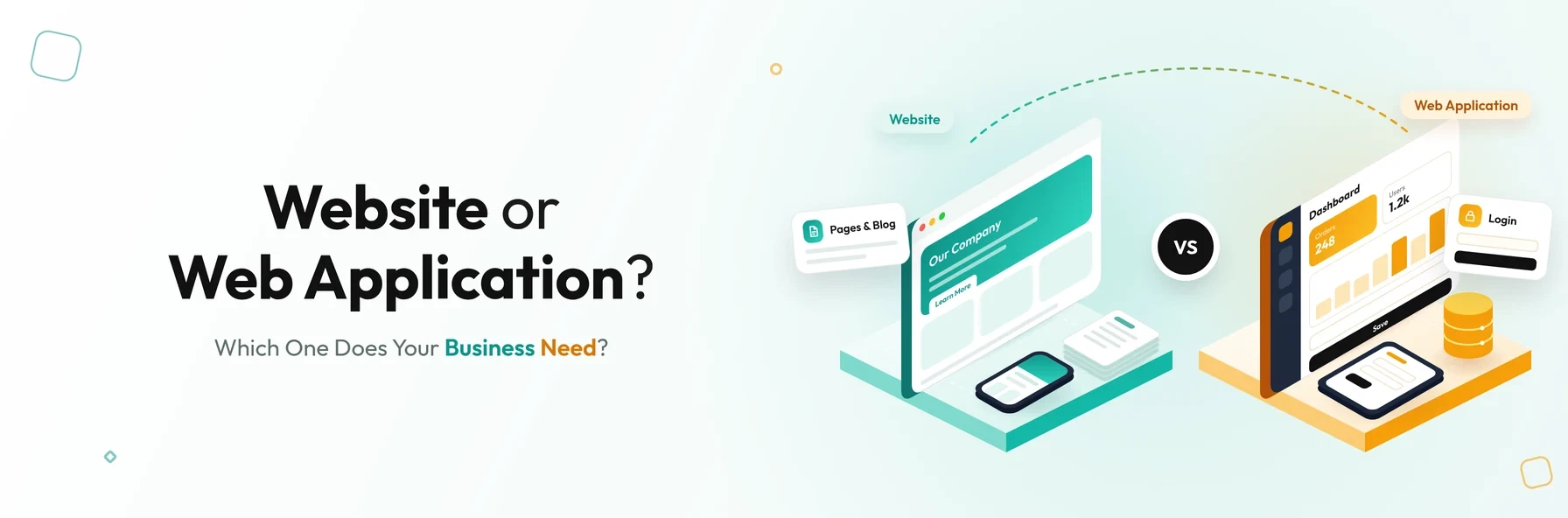
In short: A website mainly presents information for visitors to read, such as company pages, services and articles. A web application is interactive software that runs in a browser, where users sign in to complete tasks such as placing orders, managing records or running reports. Many businesses need both: a website to attract customers and a web application to serve them.
"Website" and "web application" are often used as if they mean the same thing. Both open in a browser and both are built with web technologies. However, they serve different purposes, take different amounts of time and budget to build, and solve different business problems.
Understanding the difference helps you brief your development partner clearly, set a realistic budget and choose the right solution. This guide explains what each one is, the key differences, how to tell them apart, and how to decide which your business needs.
What Is a Website?
A website is a collection of related web pages, published under one domain name, that mainly provides information. Visitors read content, view images and videos, and contact the business, but they rarely need to sign in or complete complex tasks.
Typical examples include company websites, service and product pages, blogs, news sites and portfolios. A good website is designed to be found through search engines, to explain what a business offers, and to turn visitors into enquiries or customers.
What Is a Web Application?
A web application is software that runs in a web browser and lets users interact with data to complete tasks. Users usually sign in to an account, and what they see depends on who they are and what they do.
The front end of a web application is usually built with HTML, CSS and JavaScript, often using frameworks such as React, Angular or Vue. The back end can use almost any technology stack, for example PHP with Laravel, Node.js, Python or .NET, together with a database. Unlike mobile apps, web applications do not need to be downloaded from an app store.
Web applications grew rapidly alongside the rise of software as a service (SaaS). Typical examples include online banking, booking systems, customer portals, CRM tools, project management software and email services such as Gmail.
Website vs Web Application: Key Differences
| Factor | Website | Web application |
|---|---|---|
| Main purpose | To inform, promote and generate enquiries | To let users complete tasks and work with data |
| User interaction | Mostly reading and browsing, plus simple forms | Highly interactive: creating, editing and managing data |
| Sign-in | Usually not required | Usually required, with different user roles |
| Content | Mostly the same for every visitor | Personalised to each user and their data |
| Complexity | Lower | Higher, with business logic, databases and integrations |
| Search engine visibility | Public pages are designed to rank in search engines | Areas behind a login are not indexed by search engines |
| Integrations | Often limited, such as analytics or a CRM form | Often extensive, such as payments, ERP, CRM and APIs |
| Development time and cost | Usually shorter and lower | Usually longer and higher |
| Examples | Company sites, blogs, portfolios, news sites | Online banking, booking systems, portals, SaaS tools |
A Simple Way to Tell Them Apart
Ask three questions:
- 01Do users need to sign in to get value from it? If yes, it is probably a web application.
- 02Does it mainly display information, or let users do things? Displaying information points to a website. Doing things points to a web application.
- 03Does the content change for each user based on their data? If yes, it is a web application.
The Grey Area: When a Website Becomes a Web Application
In practice, the line is not always sharp. Many modern sites combine both:
- 01E-commerce sites have public product pages that work like a website, plus a basket, checkout and customer account that work like a web application.
- 02Company websites with a customer portal use the public pages to attract customers and the portal to serve them.
- 03Websites with interactive tools, such as quote calculators or booking forms, add application features to an information site.
For most businesses, the question is not website or web application, but which parts of your digital presence need to inform and which need to perform tasks.
Why Choose a Website?
A website is the right starting point when you want to:
- Support your business goals by explaining clearly what you offer and why customers should choose you.
- Showcase your products and services with clear descriptions, images and case studies.
- Generate enquiries and leads through contact forms, calls to action and live chat.
- Build trust and social proof through testimonials, reviews, case studies and credentials.
- Strengthen your brand with consistent design, messaging and content.
- Reduce repeat support questions with FAQs, guides and helpful information.
Why Choose a Web Application?
A web application is the right choice when users need to get work done. Its main advantages are:
- 01It works on any platform. Web applications run on Windows, macOS, Linux, Android and iOS through any modern browser.
- 02It is easier to maintain. One shared codebase serves every user, so there are fewer compatibility issues than with installed desktop software.
- 03There is no app store approval. New versions can be released at any time without waiting for App Store or Google Play review.
- 04Updates reach everyone instantly. Users do not need to download or install updates.
- 05It is available 24/7. Users can access their data at any time, from anywhere with an internet connection.
- 06It works on any device. The same application can be used on a computer, tablet or smartphone.
For a deeper look, see our guide to the advantages of web applications.
Characteristics of a Good Website
A well-built website is:
- Easy to find through search engines such as Google, with a sound technical SEO foundation.
- Easy to navigate, with a clear structure and user-friendly design.
- Full of high-quality, relevant content that answers visitors' questions.
- Mobile-friendly and fast to load on every device.
- Accessible to people with disabilities, following recognised accessibility standards.
Characteristics of a Good Web Application
A well-built web application is:
- Modular and loosely coupled, so features can be changed or added without breaking others.
- Covered by automated tests, so new releases are reliable.
- Cloud-hosted and scalable, so it can handle more users and data as the business grows.
- Cross-platform, working consistently across browsers and devices.
- Secure by design, with strong authentication, role-based access and protected data.
Which Does Your Business Need?
- 01Choose a website if your main goal is to be found online, explain your services and generate enquiries.
- 02Choose a web application if customers, staff or partners need to sign in, manage data, place orders, book services or automate a process.
- 03Choose both if you want to attract customers with a public website and then serve them through a portal or platform. This is now the most common setup for growing businesses.
If you are planning a subscription product, our guide What Is SaaS? explains how software-as-a-service platforms work. Our article What Is Laravel? covers one of the frameworks we commonly use to build web applications.
Conclusion
The difference between a website and a web application comes down to purpose. A website informs and attracts, while a web application lets users act. Websites are usually simpler and built to be found in search engines. Web applications are interactive and personalised, and they are built around user accounts, data and business processes.
Most growing businesses benefit from both. The key is to understand which parts of your digital presence need to inform and which need to perform, then build each one to do its job well.
Not sure whether you need a website, a web application or both?
Schedule a free consultation with BSP Technologies, and we will help you plan the right solution for your business.
Schedule a Free ConsultationFrequently Asked Questions
An e-commerce site is both. Its product and category pages work like a website, because they present information and are designed to rank in search engines. The basket, checkout, payments and customer accounts work like a web application, because users complete tasks and manage their own data.
Social networks such as LinkedIn and Facebook are web applications. Users sign in, create and share content, send messages and see a feed personalised to them. Their public profile and information pages may still behave like a website for visitors who are not logged in.
A web application usually costs more than a website, because it involves user accounts, business logic, databases, integrations, security and testing. A simple website can often be built quickly, while the cost of a web application depends on its features and complexity.
Public pages of a web application, such as its homepage, features and pricing pages, can rank on Google. Pages behind a login, such as user dashboards and account areas, are private and are not indexed by search engines.
Yes. Many businesses add a customer portal, booking system or other web application to their existing website, often on a subdomain or a dedicated section. Visitors find the business through the website, then sign in to the application to complete tasks.