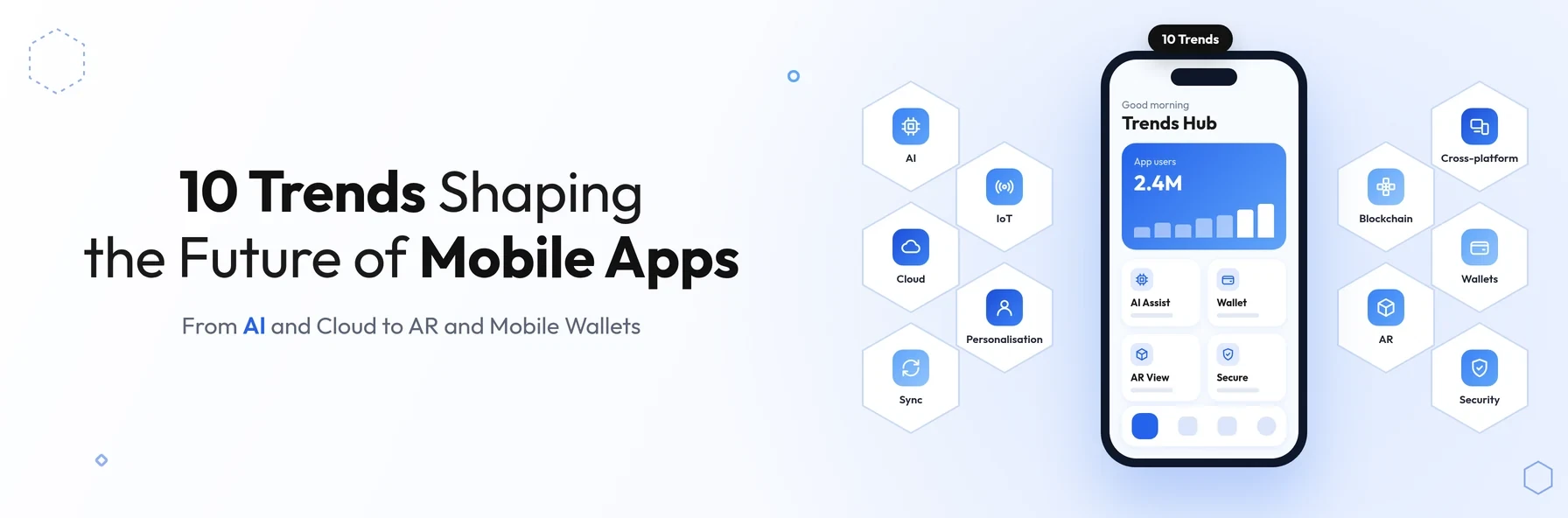
In short: The biggest mobile app development trends of 2018 are artificial intelligence, cloud-powered apps, closer mobile and desktop integration, and the Internet of Things. They also include personalisation under new privacy rules such as GDPR, blockchain, augmented reality, maturing cross-platform frameworks, mobile wallets and a much greater focus on app security.
Smartphones have become the main way many people play games, listen to music, message friends on WhatsApp, WeChat and Facebook Messenger, watch videos, check email, shop and bank. As a result, customer expectations of mobile apps keep rising. Apps need to be fast, secure, personalised and connected to the other devices people use every day.
The technology giants have made their priorities clear. At Microsoft's Build 2018 developer conference in Seattle and Google I/O 2018, both companies highlighted the growing role of artificial intelligence and connected devices across their ecosystems.
This guide covers the 10 most important mobile app development trends of 2018. Each one includes what it means for your business, so you can decide which ones are worth investing in.
Why Mobile App Trends Matter for Businesses
Following every trend is neither practical nor necessary. Understanding the important ones, however, helps you:
- plan features that users will expect in the next few years
- choose technology that will not need replacing soon
- avoid security and privacy risks that can damage trust
- spend your budget on what genuinely improves the user experience
10 Mobile App Development Trends for 2018
1. Artificial intelligence and machine learning
Artificial intelligence is moving from research labs into everyday apps. Apps such as Microsoft Pix, the SwiftKey keyboard and the Hound voice assistant show how AI can improve photos, predict what users want to type and understand natural speech.
New developer tools are making this easier. Apple introduced Core ML in 2017 to run machine learning models on iPhone, and Google announced ML Kit at Google I/O 2018 to bring features such as text recognition and image labelling to Android and iOS apps.
What it means for your business: use AI to solve specific user problems, such as smarter search, better recommendations or faster support, rather than adding it for its own sake.
2. Cloud-powered apps
Cloud computing has expanded what apps can do by moving storage and processing beyond the limits of the phone. Services such as Dropbox have offered cloud storage for years, adding features such as file sharing and encryption, while platforms such as Firebase give developers ready-made databases, authentication and notifications.
What it means for your business: cloud services help you launch faster and scale as usage grows, but the back end still needs careful architecture to control costs and performance.
3. Mobile and desktop synchronisation
Mobile apps are not simply replacing desktop software. Often the best experience comes from connecting the two. Windows 10 introduced Timeline, which lets users pick up activities across devices, including iOS and Android phones. At Build 2018, Microsoft also announced the Your Phone app to bring phone messages and photos to the PC.
What it means for your business: design your app as part of a connected experience. Pairing it with a web application often serves customers better than a mobile app alone.
4. The Internet of Things (IoT)
The Internet of Things describes devices connected to the cloud so that apps can operate, automate and monitor them remotely. Connected cameras, smart speakers, smart home devices and fitness trackers all rely on mobile apps for set-up, control and data. Google released Android Things 1.0 in May 2018 to help manufacturers build connected devices.
What it means for your business: reliable data sync between devices and your app is critical. Our fitness app case study shows how broken wearable and health data sync can undermine an app's core features, and how fixing it restores user trust.
5. Personalisation with privacy in mind
Demand for personalisation has grown rapidly. Airbnb and Netflix are familiar examples: they learn from the trips people take, the films they watch and the searches they make, then tailor content to each user. At the same time, the EU General Data Protection Regulation (GDPR), which applies from 25 May 2018, requires clear consent and responsible use of personal data.
What it means for your business: personalise using data users have knowingly shared with you, explain how it is used, and give users control.
6. Blockchain
The rise in the popularity of Bitcoin has drawn attention to blockchain, the technology behind cryptocurrencies. A blockchain is a shared, continuously updated record of transactions that is very difficult to alter. This makes it an attractive option for mobile banking, payments and e-commerce apps that need tamper-resistant records.
What it means for your business: blockchain is still at an early stage for most businesses. Consider it where a shared, tamper-resistant record solves a genuine problem.
7. Augmented reality (AR)
Apple's ARKit, launched with iOS 11 in 2017, and Google's ARCore, released in early 2018, have made augmented reality available on hundreds of millions of phones. Apps such as IKEA Place let customers see how furniture would look in their own homes before buying.
What it means for your business: AR can add real value in retail, property, training and field services. Consider it where it solves a genuine customer problem.
8. Maturing cross-platform frameworks
Cross-platform frameworks such as React Native and Xamarin let businesses build iOS and Android apps from a shared codebase. Google released the first beta of Flutter in February 2018, adding another option focused on fast, consistent interfaces.
What it means for your business: a shared codebase can reduce development and maintenance costs. Read our guide on why choose Flutter for iOS and Android app development.
9. Mobile wallets and payments
Mobile payments are becoming part of everyday life. Apple Pay is accepted by a growing number of retailers, and in January 2018 Google brought Android Pay and Google Wallet together as Google Pay. In-app payments with these wallets are faster and more secure than typing in card details.
What it means for your business: faster, safer checkout reduces drop-off and improves conversions.
10. A greater focus on app security
Mobile apps handle large amounts of personal and confidential data, and many still fail basic security checks. With GDPR introducing significant fines for data breaches, security has become a priority for mobile app developers. Guidance such as the OWASP Mobile Top 10 helps teams understand and avoid the most common risks.
What it means for your business: budget for secure architecture, encrypted data, regular updates and security testing. A single breach can cost far more than prevention.
2018 Mobile App Trends at a Glance
| Trend | Examples in 2018 | What it offers businesses |
|---|---|---|
| Artificial intelligence | Microsoft Pix, SwiftKey, Core ML, ML Kit | Smarter search, predictions and recommendations |
| Cloud-powered apps | Dropbox, Firebase | Faster launches and easier scaling |
| Mobile and desktop sync | Windows 10 Timeline, Your Phone | A connected experience across devices |
| Internet of Things | Smart speakers, connected cameras, Android Things | Remote control and monitoring of devices |
| Personalisation | Netflix, Airbnb | More relevant experiences, within GDPR rules |
| Blockchain | Bitcoin and cryptocurrency wallets | Tamper-resistant records for payments |
| Augmented reality | ARKit, ARCore, IKEA Place | Try-before-you-buy and visual guidance |
| Cross-platform frameworks | React Native, Xamarin, Flutter (beta) | One codebase for iOS and Android |
| Mobile wallets | Apple Pay, Google Pay | Faster, more secure checkout |
| App security | OWASP Mobile Top 10, GDPR | Protected data and customer trust |
How to Apply These Trends to Your App
- 01Start with your users. Identify the problems your customers face and the tasks they want to complete.
- 02Prioritise trends that solve real problems. AI, personalisation and AR add value only when they improve the user experience.
- 03Choose technology for the long term. Pick frameworks and back-end services that will be supported and can scale.
- 04Build in security and privacy from day one. It is far cheaper than fixing problems after launch, and GDPR makes it essential.
- 05Plan for continuous improvement. Release updates regularly and use analytics and feedback to guide what comes next.
For more on planning your app's long-term architecture, read From MVP to Enterprise: How Great Software Evolves as Your Business Grows.
Conclusion
Mobile app development is moving fast in 2018. Artificial intelligence, cloud services, connected devices, augmented reality, cross-platform frameworks and a stronger focus on security and privacy are shaping what users expect from a modern app.
The best approach is not to chase every trend, but to choose the ones that solve real problems for your customers and support your long-term business goals.
Planning a new app or upgrading an existing one?
Schedule a free consultation with BSP Technologies, and we will help you decide which technologies and trends are right for your app.
Schedule a Free ConsultationFrequently Asked Questions
The biggest trends of 2018 include artificial intelligence, cloud-powered apps, mobile and desktop synchronisation, and the Internet of Things. Others are personalisation under GDPR, blockchain, augmented reality, maturing cross-platform frameworks, mobile wallets and a greater focus on app security.
No. AI is valuable when it solves a specific problem, such as improving search, recommendations or customer support. Adding AI without a clear purpose increases cost and complexity without improving the experience. Start with user needs, then decide where AI genuinely helps.
Cross-platform frameworks such as React Native, Xamarin and Flutter suit many business apps that need both iOS and Android on a realistic budget. Native development with Swift for iOS and Java or Kotlin for Android suits apps that need the latest platform features, deep hardware access or maximum performance.
Mobile apps often handle personal, payment and health data, so a security weakness can lead to data breaches, regulatory penalties under GDPR and lost customer trust. Building security in from the start, keeping apps updated and testing against guidance such as the OWASP Mobile Top 10 significantly reduces these risks.
Most successful apps are updated regularly, often every few weeks or months. Updates fix bugs and security issues and keep the app compatible with new iOS and Android versions. They also add improvements based on user feedback. Apps that are not maintained tend to lose users and ratings.