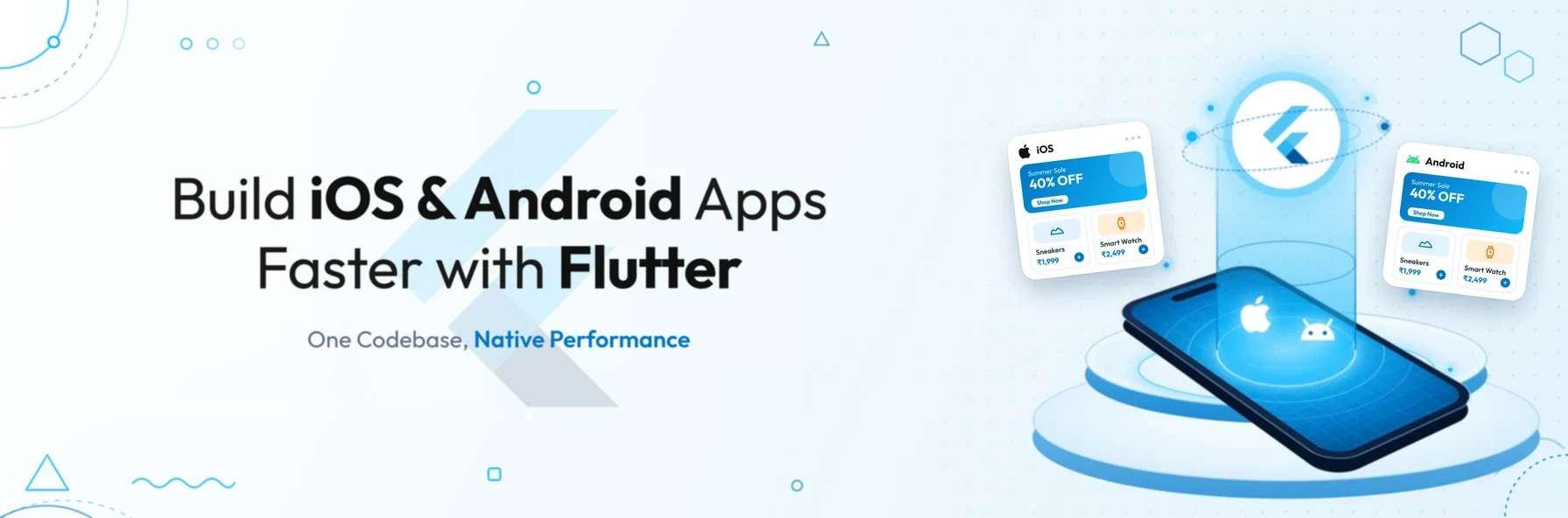
In short: Flutter is Google's free, open-source framework for building iOS and Android apps from a single codebase, written in the Dart language. Businesses choose it for faster development with hot reload, consistent and flexible user interfaces, and high performance from code compiled to native machine code. It also offers strong testing, Firebase and CI/CD support.
The cross-platform app landscape has changed significantly in recent years. Adobe discontinued PhoneGap in 2020, and Microsoft ended support for Xamarin in May 2024 in favour of .NET MAUI. Today, Flutter and React Native are the two leading frameworks for building one app that runs on both iOS and Android.
Cross-platform frameworks were once seen as a compromise compared with fully native apps. Flutter changed that perception by combining a single codebase with a rendering approach designed for smooth, consistent performance.
This guide explains what Flutter is and how it works. It then covers the main reasons businesses choose it, where its limitations lie, and how to decide whether it is the right choice for your next app.
What Is Flutter?
Flutter is an open-source UI software development kit (SDK) created and maintained by Google. It lets developers build apps for iOS and Android, as well as web, Windows, macOS and Linux, from a single codebase.
Flutter has three defining characteristics:
- 01It is free and open source. There are no licence fees, and it is backed by Google and a large developer community.
- 02It uses Dart. Dart is Google's programming language, designed for building fast apps on any platform.
- 03It uses a reactive, widget-based architecture. Everything on screen is a widget, and the interface updates automatically when the app's data changes.
How Does Flutter Work?
Unlike frameworks that rely on each platform's built-in interface components, Flutter draws the interface itself:
- 01 Developer writes the app once in Dart
- 02 App is built from Flutter widgets (Material Design or iOS-style Cupertino)
- 03 Flutter's rendering engine draws every pixel on screen
- 04 Release builds are compiled ahead of time into native machine code
- 05 The same app runs on iOS and Android with a consistent look and behaviour
Flutter originally used the Skia graphics library for rendering. It now uses its own Impeller rendering engine by default on iOS and on modern Android devices, which is designed to reduce stutter during animations.
7 Reasons to Choose Flutter for iOS and Android Development
1. One codebase for both platforms
Building a truly cross-platform framework has long been a challenge. Flutter addresses it by letting teams write one codebase that runs on both iOS and Android. In most projects, this means one development team, one set of features to maintain and faster releases on both platforms, rather than two separate native apps.
2. Faster development with hot reload
Dart supports two compilation modes, and Flutter uses both:
- 01Just-in-time (JIT) compilation during development. This powers Flutter's hot reload feature, which shows code changes in the running app within seconds, without restarting it or losing its current state.
- 02Ahead-of-time (AOT) compilation for release. This turns the app into native machine code for fast start-up and smooth performance.
Hot reload makes it much quicker to experiment with designs, fix bugs and refine features with stakeholders.
3. Flexible, consistent user interfaces
Flutter's layered architecture gives developers control over every pixel on the screen. It includes a rich set of ready-made widgets for both Material Design, Google's design system, and Cupertino, which follows Apple's iOS style. Animations, graphics, text and controls can be fully customised.
Because Flutter draws its own interface, the app looks and behaves consistently across devices and operating system versions. This is a major advantage for brands that want a distinctive, pixel-perfect design.
4. High, near-native performance
Flutter apps are compiled to native ARM machine code and rendered directly by Flutter's engine. They do not depend on a JavaScript bridge to communicate with the platform. For most business apps, this delivers smooth scrolling, fast transitions and performance close to that of fully native apps.
5. Built-in support for testing
Flutter provides testing tools at three levels:
- 01Unit tests check individual functions and logic.
- 02Widget tests check individual parts of the interface.
- 03Integration tests check complete user journeys on real devices or emulators, using the integration_test package. This has replaced the older Flutter Driver approach.
Because both platforms share one codebase, much of the test suite only needs to be written once. This reduces the effort needed to keep both versions reliable.
6. Strong Firebase and back-end support
Google maintains official Firebase plugins for Flutter, known as FlutterFire. These provide ready-made support for:
- authentication
- real-time databases and Cloud Firestore
- cloud storage
- push notifications
- analytics and crash reporting
For many apps, Firebase can significantly reduce the amount of custom back-end work needed to launch. Larger or more complex products usually still need a properly designed back end and DevOps processes, but Firebase gives teams a fast, scalable starting point.
7. Mature CI/CD options
Continuous integration and continuous delivery (CI/CD) automate how apps are built, tested and released. This matters especially for iOS, where builds must be signed and submitted through Apple's processes.
Flutter works with a wide range of CI/CD tools, including:
- 01Codemagic: a CI/CD service originally built specifically for Flutter.
- 02GitHub Actions, Bitrise and CircleCI: general-purpose pipelines.
- 03Fastlane: automating code signing and app store releases.
- 04Xcode Cloud: Apple's own CI/CD service for iOS builds.
This makes it straightforward to set up automated testing and regular, reliable releases to both the App Store and Google Play.
Flutter vs React Native vs Native Development
| Factor | Flutter | React Native | Native (Swift / Kotlin) |
|---|---|---|---|
| Language | Dart | JavaScript or TypeScript | Swift for iOS, Kotlin for Android |
| Codebase | One for iOS and Android | One for iOS and Android | Separate for each platform |
| User interface | Drawn by Flutter's own engine | Uses each platform's native components | Native components |
| Performance | High; compiled to native code | High; depends on architecture and libraries | Highest |
| UI consistency across platforms | Very high | Varies by platform | Separate design per platform |
| Access to new platform features | Usually via plugins or platform channels | Usually via libraries or native modules | Immediate |
| Typical development cost | Lower than building two native apps | Lower than building two native apps | Highest |
Both Flutter and React Native are strong, mature choices. Flutter often suits projects that prioritise custom design and UI consistency. React Native often suits teams with existing JavaScript or React expertise.
Limitations of Flutter to Consider
No framework is right for every project. Flutter's main limitations are:
- 01Larger app size. Flutter apps include the framework and rendering engine, so they are usually larger than equivalent native apps.
- 02Platform-specific features. New iOS or Android features may take time to appear in Flutter plugins, and some capabilities require native code through platform channels.
- 03A smaller talent pool. Dart is less widely known than JavaScript, Swift or Kotlin, although it is quick to learn.
- 04Content-heavy websites. Flutter for web suits app-like experiences, but it is not usually the best choice for content sites that rely on search engine visibility.
When Is Flutter the Right Choice?
Flutter is usually a strong fit when:
- you need an iOS and Android app on a realistic budget and timeline
- you want a custom, branded design that looks the same on every device
- you plan to launch an MVP quickly and iterate based on user feedback
- you want one team to maintain one codebase over the long term
Fully native development may be the better option when an app depends heavily on the latest platform-specific features. The same applies to apps that need advanced hardware integration, or where the absolute maximum performance on a single platform matters most.
If you are planning a new app, our article From MVP to Enterprise: How Great Software Evolves as Your Business Grows explains how to plan your architecture for growth. Our guide on how to choose the right software development company covers the questions to ask before choosing a development partner.
Conclusion
Flutter has matured from a promising newcomer into one of the most widely used ways to build iOS and Android apps. A single codebase, fast development with hot reload, flexible design and high performance make it a strong choice for most business apps, especially when speed to market and consistent branding matter.
Like any technology, it has trade-offs, so the right decision depends on your app's features, budget and long-term roadmap.
Planning an iOS and Android app?
Schedule a free consultation with BSP Technologies, and we will help you decide whether Flutter, React Native or native development is the right fit for your project.
Schedule a Free ConsultationFrequently Asked Questions
Yes. Flutter builds apps that compile to native machine code for iOS and run smoothly on iPhone and iPad. It includes Cupertino widgets that follow Apple's design style, and Flutter apps are published to the App Store in the same way as native apps.
Yes. Flutter remains one of the two leading cross-platform frameworks, alongside React Native, and is actively developed by Google with a large open-source community. It is a mature, well-supported choice for building iOS and Android apps from a single codebase.
Neither is better in every case. Flutter is often preferred for custom designs and consistent UI across platforms. React Native is often preferred by teams that already use JavaScript or React. The right choice depends on your app's requirements, your team's skills and your long-term plans.
In most cases, yes. Flutter apps are compiled to native code and rendered by Flutter's own engine, so they run smoothly and can closely follow iOS and Android design conventions. Apps that rely heavily on very new platform features may still need some native code.
Yes. As well as iOS and Android, Flutter supports web, Windows, macOS and Linux from the same codebase. It works best on the web for app-like experiences, such as dashboards and tools, rather than content-heavy websites that depend on search visibility.