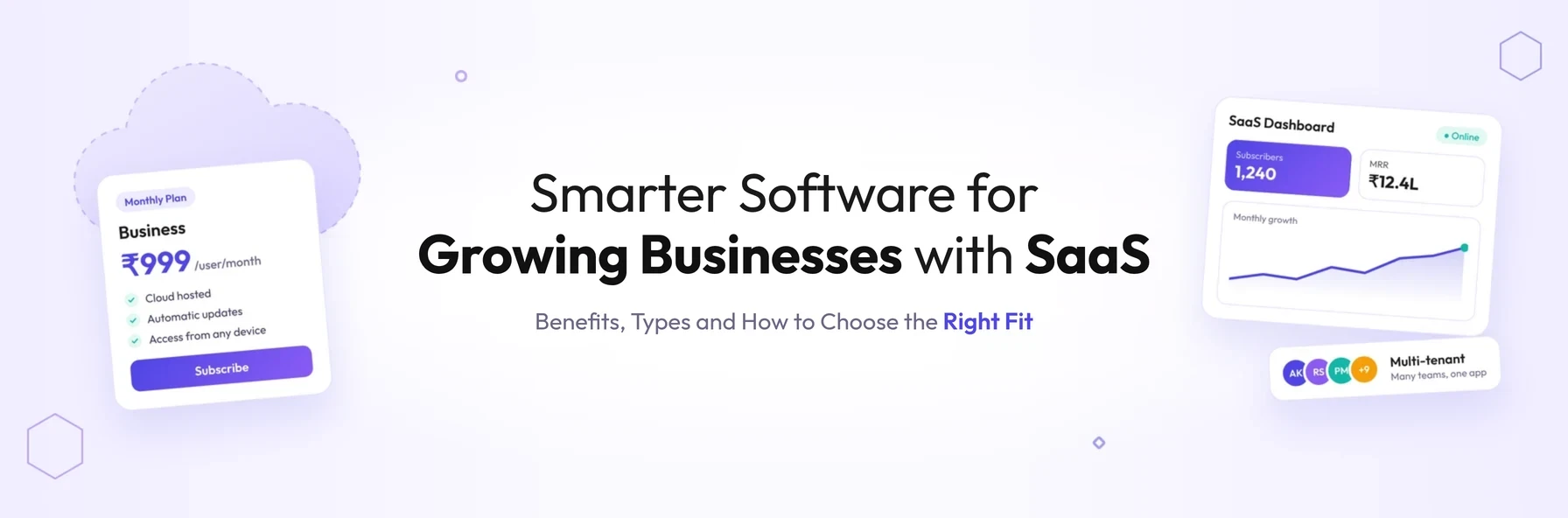
In short: SaaS (software as a service) is software you use over the internet and pay for by subscription, instead of installing and maintaining it on your own computers or servers. The provider hosts the application and handles updates, security, backups and availability. Users simply sign in through a browser or app from anywhere.
From email and accounting to CRM and project management, most businesses now run on SaaS. It has changed how software is bought, used and built: instead of paying upfront for a licence and managing the software yourself, you subscribe to a service that someone else runs for you.
This guide explains what SaaS is and how it works. It covers its key characteristics, how it compares with other cloud models, its benefits and risks, and the trends shaping it. It also explains when it makes sense to build a SaaS product of your own.
What Is SaaS?
Software as a service (SaaS) is a way of delivering applications over the internet as a service. SaaS applications are sometimes called web-based software, on-demand software or hosted software.
Instead of installing and maintaining software on your own devices or servers, you access it through a web browser or app. The application runs on the SaaS provider's servers, and the provider is responsible for keeping it secure, available, up to date and performing well.
Familiar examples include Microsoft 365, Google Workspace, Salesforce, Slack, Zoom, Xero and Shopify.
How Does SaaS Work?
- 01 The provider builds the application and hosts it in the cloud
- 02 A business subscribes, usually monthly or annually, per user or by usage
- 03 Users sign in through a web browser or app, from any device
- 04 All customers use the same centrally maintained application
- 05 The provider handles updates, security, backups and uptime
- 06 The business focuses on using the software, not managing it
Key Characteristics of SaaS
Multi-tenant architecture
Most SaaS applications use a multi-tenant architecture. All customers, known as tenants, share the same infrastructure and codebase, while each customer's data is kept separate and private.
A useful way to picture this is a bank. Thousands of customers use the same banking systems and technology, yet each can see only their own accounts. In the same way, every SaaS customer uses the same application, but nobody can access another customer's data without authorisation.
Because everyone runs on the same version, the provider maintains one codebase instead of many. That means improvements can be released faster, and less time is spent supporting outdated versions.
Subscription-based pricing
SaaS is usually paid for by subscription, for example per user per month, by usage, or through tiered plans. This replaces the large upfront licence fees of traditional software with predictable ongoing costs.
Access from anywhere
SaaS applications are accessed over the internet, so users can work from any connected device. This makes them well suited to remote, hybrid and multi-site teams.
Centrally managed updates
The provider updates the application centrally, so every customer gets new features and security fixes at the same time, without installing anything.
Configuration without code changes
Each customer can configure the application to fit their own processes, using settings, custom fields, workflows and branding, without affecting the shared platform. These configurations are kept when the provider releases upgrades, so customers benefit from frequent updates with less risk.
SaaS vs PaaS vs IaaS
SaaS is one of three main cloud service models:
| Model | What the provider manages | What you manage | Examples |
|---|---|---|---|
| SaaS (software as a service) | The complete application, infrastructure, security and updates | Your data, users and configuration | Microsoft 365, Salesforce, Slack |
| PaaS (platform as a service) | Infrastructure, operating systems and development platform | Your application code and data | Heroku, Google App Engine, Azure App Service |
| IaaS (infrastructure as a service) | Servers, storage and networking | Operating systems, applications and data | Amazon EC2, Azure Virtual Machines, Google Compute Engine |
In simple terms, SaaS is software you use, PaaS is a platform you build on, and IaaS is infrastructure you run things on.
Benefits of SaaS for Businesses
1. Lower upfront costs
There is no need to buy licences outright or invest in servers to run the software. Costs are spread over time through a subscription, which can be easier to budget for and scale.
2. Fast setup
SaaS applications can often be up and running in hours or days rather than months, because there is no installation or infrastructure to prepare.
3. Automatic updates
New features and security fixes are delivered automatically. Changes that once took weeks or months to roll out with traditional business software now reach every user at once.
4. Access from any device
Teams can work from the office, at home or on the move, and everyone sees the same, up-to-date information at the same time.
5. Easy scaling
Adding users, locations or features is usually as simple as changing your subscription. You pay for what you need and grow when you are ready.
6. Easier management of access and data
Administrators can manage user permissions, monitor how data is used and control access centrally, rather than across individual installations.
7. Integration with other tools
Most SaaS applications provide APIs and ready-made integrations, so data can flow between systems such as CRM, accounting, e-commerce and marketing tools.
8. Security and reliability managed by specialists
Reputable SaaS providers invest heavily in security, backups and uptime, often more than a single business could afford alone. Security is still a shared responsibility, though. Your business remains responsible for managing users, passwords and access.
Disadvantages of SaaS and How to Manage Them
| Risk | Why it matters | How to manage it |
|---|---|---|
| Vendor lock-in | Moving data and processes to another provider can be difficult | Check data export options and contract terms before you commit |
| Data protection and compliance | Your data is stored by a third party, possibly in another country | Confirm where data is hosted, and check the provider's security certifications and compliance with laws such as UK GDPR and EU GDPR |
| Limited customisation | Shared platforms may not fit specialised processes | Assess configuration options early, or consider custom software for core processes |
| Ongoing costs | Subscriptions can add up as users and tools grow | Review licences regularly and consolidate overlapping tools |
| Internet dependence and outages | No connection, or a provider outage, means no access | Check the provider's uptime commitments and plan for critical processes |
SaaS Trends Shaping the Market
SaaS has moved well beyond standalone tools. Several trends are shaping how businesses buy and build software:
- 01AI built into SaaS products. Many providers now include AI features such as automated summaries, forecasting and assistants directly in their applications.
- 02Vertical SaaS. More products are built for specific industries, such as construction, healthcare, logistics or waste management, rather than general business use.
- 03Integration platforms. Integration platform as a service (iPaaS) tools connect many SaaS applications so that data flows automatically between them.
- 04Usage-based pricing. Some providers charge by consumption, such as transactions or API calls, instead of only per user.
- 05SaaS consolidation. Businesses are reviewing their software stacks to cut overlapping subscriptions and control costs.
Should You Use Existing SaaS or Build Your Own?
Off-the-shelf SaaS is usually the right choice for standard business functions such as email, accounting and HR. Building your own SaaS product makes sense when:
- you have a unique process or service that existing tools do not support well
- the software is part of your competitive advantage
- you want to sell your software to other businesses as a subscription product
- subscription costs for multiple tools have grown higher than owning a tailored platform
A custom SaaS product needs careful planning around multi-tenant architecture, security, scalability and subscription billing from the start. Our article From MVP to Enterprise: How Great Software Evolves as Your Business Grows explains how to plan for that growth. For background on browser-based software, see our guide to the advantages of web applications. Our article What Is Laravel? covers one of the frameworks commonly used to build SaaS platforms.
Conclusion
SaaS has become the standard way businesses use software, offering lower upfront costs, fast setup, automatic updates and access from anywhere. Understanding how it works, including multi-tenancy, subscriptions and shared security, helps you choose the right tools and avoid risks such as lock-in and compliance gaps.
For standard business needs, existing SaaS products are often the fastest route. When your processes or ideas are unique, building your own SaaS platform can become a lasting competitive advantage.
Planning to build a SaaS product or replace a patchwork of subscriptions?
Schedule a free consultation with BSP Technologies, and we will help you decide whether to buy, build or combine both.
Schedule a Free ConsultationFrequently Asked Questions
SaaS is software you rent rather than buy. Instead of installing it on your own computers, you sign in over the internet and pay a regular subscription. The provider runs the software for you and handles updates, security and backups.
Common examples of SaaS include Microsoft 365 and Google Workspace for email and documents, Salesforce for CRM, Slack and Zoom for communication, Xero for accounting and Shopify for e-commerce. Each is used through a browser or app and paid for by subscription.
Traditional software is usually bought with a one-off licence, installed on your own devices or servers, and maintained by your own team. SaaS is accessed over the internet, paid for by subscription, and hosted, updated and secured by the provider.
Reputable SaaS providers use strong security measures such as encryption, access controls, monitoring and regular backups. However, security is shared. Customers must manage user access and passwords, and should check a provider's certifications and data protection compliance before choosing it.
Multi-tenant architecture means many customers share one instance of the application and its infrastructure, while each customer's data is kept separate and private. It lets providers maintain a single codebase, release updates to everyone at once, and keep costs lower.