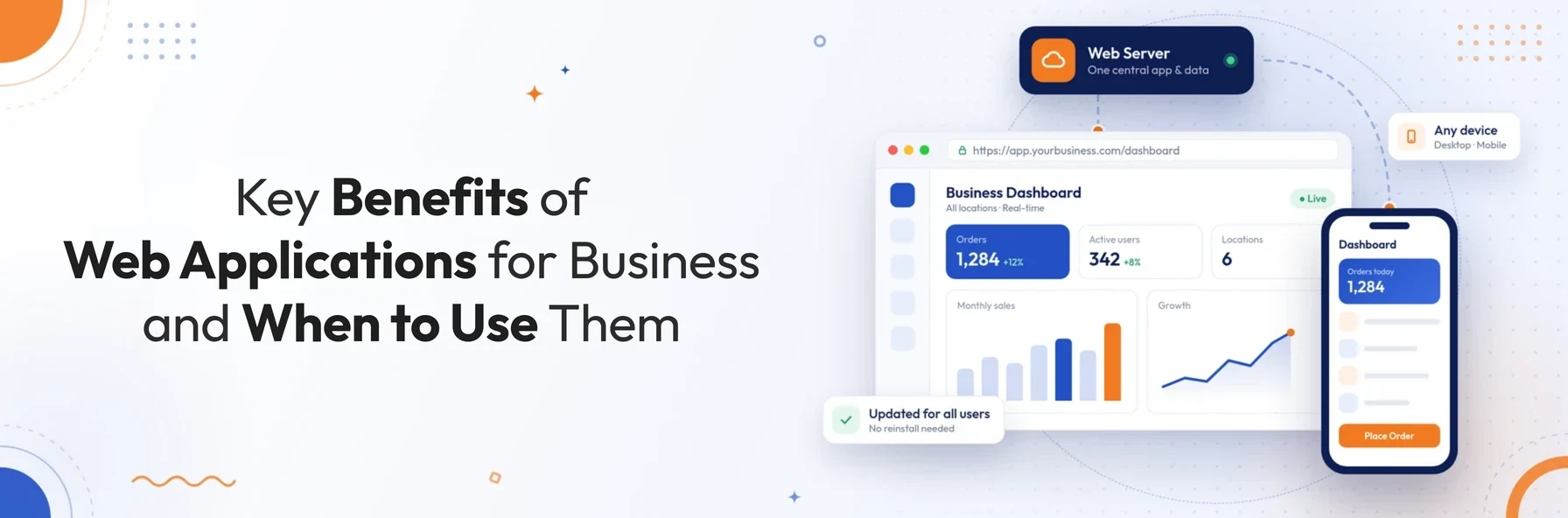
In short: A web application is software that runs in a web browser, so users can reach it from any device with an internet connection and nothing to install. Its main advantages are access from anywhere, central data and updates, lower support costs and easy scaling. Its main drawbacks, internet dependence, security and browser compatibility, can be reduced with good design.
Businesses rely on software for almost everything, from taking orders and managing stock to training staff and reporting to customers. One of the most important choices is how that software is delivered: as a desktop program, a mobile app, or a web application that runs in the browser.
For many organisations, web applications have become the default. This guide explains what a web application is and how it works. It then covers the main types, what businesses use them for, their advantages and disadvantages, and how to decide whether a web application is right for you.
What Is a Web Application?
A web application is a software program that runs on a web server and is used through a web browser such as Chrome, Safari, Edge or Firefox. Users sign in at a web address to enter, view and update information stored in a central database. Web applications are built with web technologies such as HTML, CSS and JavaScript on the front end, and a server-side language and database behind them.
Unlike a simple website, which mainly displays information, a web application lets users do things: place orders, submit forms, run reports, manage records or collaborate with colleagues.
How Does a Web Application Work?
At a basic level, every web application follows the same flow:
- 01 User opens the web application in a browser
- 02 Browser sends a request to the web server
- 03 Application server processes the request and applies business logic
- 04 Database stores or returns the relevant data
- 05 Server sends the result back to the browser
- 06 User sees the updated page or information
Because the application and its data live on the server, every user works from the same, up-to-date version. Nothing needs to be installed or updated on individual devices.
Types of Web Applications
Web applications come in several forms, depending on what they need to do:
| Type | What it does | Typical examples |
|---|---|---|
| Static web application | Displays fixed content that rarely changes | Brochure sites, simple information pages |
| Dynamic web application | Generates content based on user input or database data | Booking systems, dashboards, account areas |
| E-commerce application | Lets customers browse, buy and pay online | Online shops, B2B ordering portals |
| Portal application | Gives different users secure, personalised access to information | Customer portals, employee intranets, supplier portals |
| Content management system (CMS) | Lets non-technical teams create and update content | Company websites, blogs, knowledge bases |
| Single-page application (SPA) | Loads once and updates content without full page reloads, for an app-like feel | Email clients, project management tools |
| Progressive web app (PWA) | Can be installed on a device, send notifications and work partly offline | Field service apps, retail and booking apps |
Many real-world systems combine several of these. A customer portal, for example, is often a dynamic application with e-commerce features and a CMS for content.
What Can Businesses Do With a Web Application?
Web applications support almost every part of a business. Common uses include:
- 01Reporting and analytics: bringing together data from offices across a country or around the world, and displaying it as live charts and dashboards.
- 02Online ordering: letting customers order from an online catalogue, search products easily, and track their orders and budgets.
- 03Quotes and enquiries: allowing visitors to request estimates at any time, while the business captures details of what they are interested in.
- 04Staff training and wellbeing: delivering online training and questionnaires that employees can complete at their own pace.
- 05News and product information: publishing updates and up-to-date product details for customers and staff.
- 06Field and remote work: giving on-site workers task information on mobile devices, and letting them record job completion and capture sign-off on site.
Advantages of Web Applications
1. Access from anywhere, on any device
Anyone with an internet connection and a browser can use a web application, whether they are in the office, at home or on a customer's site. This makes web applications well suited to remote teams, multiple locations and international customers.
2. No installation required
Users simply open a web address. There is no software to install on each computer, which saves IT time and removes compatibility problems between machines.
3. Instant, central updates
When the application is updated on the server, every user gets the new version immediately. There is no need to roll out updates device by device, and nobody is left working on an old version.
4. Centralised data that is easier to secure and back up
Because data is held centrally rather than on individual devices, it is easier to protect, back up and restore. Everyone works from the same up-to-date information, which reduces errors caused by out-of-date copies.
5. Lower running costs
Web applications can reduce costs in several ways. Customers can serve themselves instead of phoning the office. Printed materials can be replaced with online information. Users can update their own details. Support costs also fall because there is only one version to maintain.
6. Works on lower-specification devices
Most of the processing happens on the server, so web applications can run well on modest computers, tablets and smartphones. This can extend the life of existing hardware.
7. Available 24/7
A web application can serve customers and staff around the clock. Customers can place orders, request quotes or find information outside office hours, and staff can complete training or tasks whenever suits them.
8. Easy to scale and integrate
Web applications can grow with the business by adding users, locations or features without reinstalling anything. They can also connect to other systems such as accounting, CRM, ERP and payment platforms through APIs, so data flows between tools instead of being re-entered.
Disadvantages of Web Applications and How to Address Them
No technology is perfect. The main drawbacks of web applications can usually be reduced with the right design decisions:
| Disadvantage | Why it happens | How to reduce it |
|---|---|---|
| Dependence on the internet | Most web applications need a connection to reach the server | Use a progressive web app with offline support for critical tasks, and sync data when the connection returns |
| Performance can vary | Speed depends on the connection, hosting and how efficiently the app is built | Choose reliable hosting, optimise code and database queries, and use caching |
| Browser compatibility | Users may be on different browsers and versions | Test on all major browsers and follow modern web standards |
| Security risks | Web applications are reachable over the internet | Follow secure development practices such as the OWASP Top 10, use HTTPS, keep software patched and carry out regular security testing |
| Limited access to some device features | Browsers restrict access to certain hardware and operating system features | Use PWA capabilities where supported, or a native or hybrid mobile app where deep device access is essential |
Older articles often claim that web application interfaces are less sophisticated than desktop software. With modern frameworks, that is rarely true today. Many of the most widely used business tools run entirely in the browser.
Web Application vs Desktop Application vs Mobile App
| Factor | Web application | Desktop application | Native mobile app |
|---|---|---|---|
| Installation | None, runs in the browser | Installed on each computer | Downloaded from an app store |
| Updates | Instant for all users | Rolled out to each device | Users must install updates |
| Device access | Any device with a browser | Usually one operating system | One mobile platform per build |
| Offline use | Limited, unless built as a PWA | Strong | Strong |
| Access to device hardware | Limited | Full | Full |
| Typical cost to maintain | Lower, with one shared codebase | Higher with multiple platforms | Higher with separate iOS and Android builds |
When Is a Web Application the Right Choice?
A web application is usually a strong choice when:
- users work across different locations, devices or countries
- you need one central, up-to-date source of data
- you want to update features quickly without reinstalling software
- customers, suppliers or staff need secure self-service access
- the system must connect with other business tools
A desktop or native mobile app may be better when users need heavy offline work or intensive processing, or when they need deep access to device hardware. Many businesses combine the two, with a web application at the core and a mobile app for specific field tasks.
If you are planning a new system, our article From MVP to Enterprise: How Great Software Evolves as Your Business Grows explains how to plan for growth from day one. Our guide on how to choose the right software development company covers the questions to ask before you hire a development partner.
Conclusion
Web applications have become the backbone of modern business software. They give teams and customers access from anywhere, keep data in one central place, and make updates and scaling far simpler than traditional installed software. Their drawbacks around connectivity, performance and security are real, but they can be managed with the right architecture and development practices.
The key is to match the technology to how your business actually works. For most organisations that need secure, multi-user access to shared data, a well-built web application is the most flexible place to start.
Thinking about a web application for your business?
Schedule a free consultation with BSP Technologies, and we will help you decide whether a web app, a mobile app or a combination of both is the right fit.
Schedule a Free ConsultationFrequently Asked Questions
The main advantage of a web application is that it can be used from any device with a browser and an internet connection, with nothing to install. All users work from the same central version and data, and updates reach everyone instantly.
A website mainly provides information for people to read, such as company pages or articles. A web application is interactive. Users sign in to complete tasks such as placing orders, managing records, running reports or collaborating. Many modern sites combine both.
Most web applications need an internet connection, but progressive web apps can store data and key features on the device. They can then keep working offline and sync changes once the connection returns. How much works offline depends on how the application is designed.
Web applications can be highly secure when they are built and maintained properly. That means encrypted HTTPS connections, secure authentication, regular updates and security testing, and following recognised guidance such as the OWASP Top 10. Security depends far more on how an application is built than on its type.
Often, yes. A single web application works across devices from one codebase, while native mobile apps usually need separate builds for iOS and Android. However, the total cost depends on the features, integrations and level of offline or device access the project requires.